Mascherare WireGuard come HTTPS con sing-box: bypassare firewall aziendali
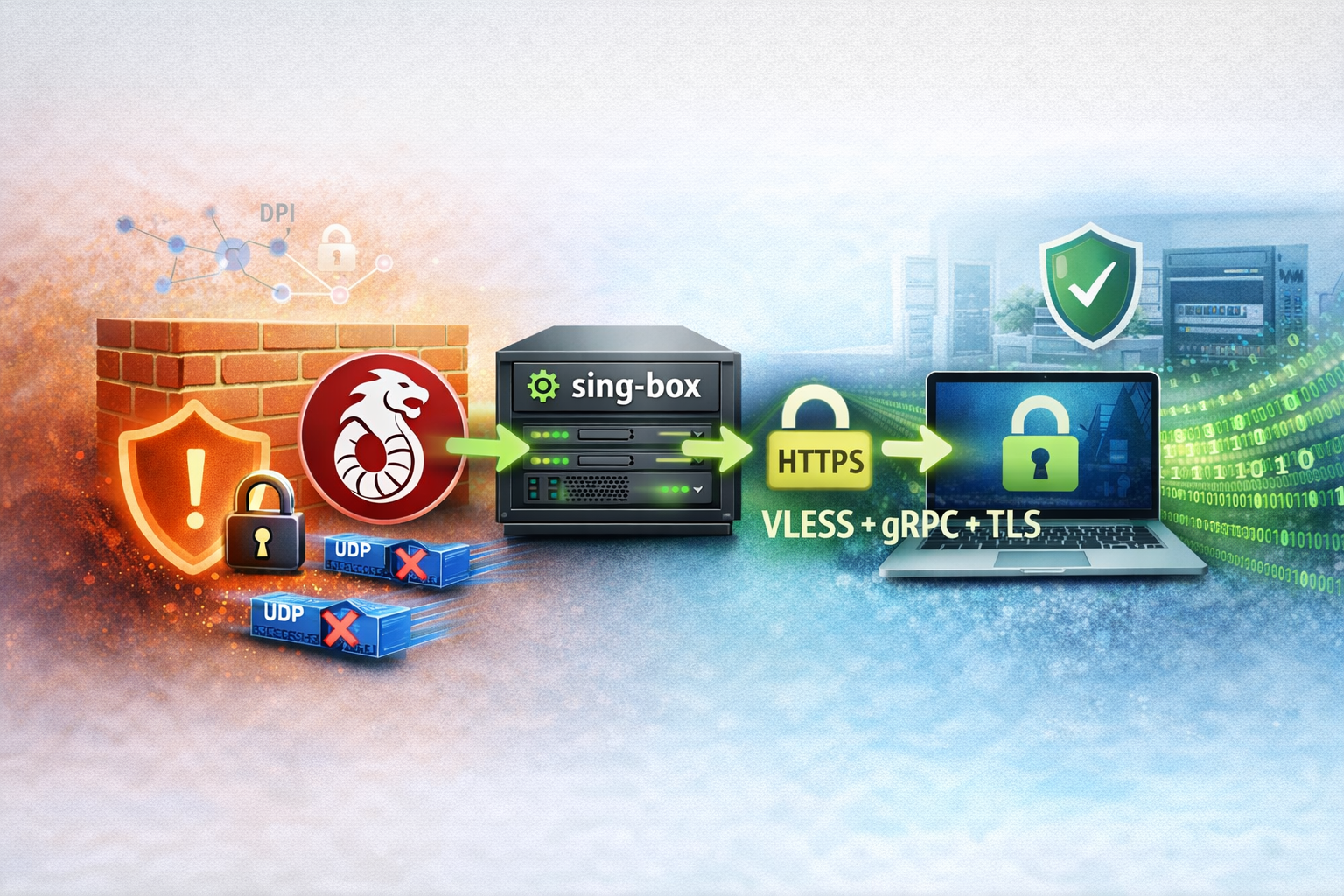
Ultimamente mi sono trovato spesso a lavorare da reti con firewall restrittivi che bloccano le VPN. Anche WireGuard, che di solito funziona bene, viene identificato e bloccato da molti firewall aziendali e sistemi DPI (Deep Packet Inspection).
Ho deciso di risolvere il problema mascherando completamente il traffico UDP di WireGuard come traffico HTTPS reale su TCP/443, utilizzando sing-box con il protocollo VLESS + gRPC + TLS. Il risultato è un tunnel VPN che appare come una normale connessione HTTPS a qualsiasi firewall o sistema di ispezione.
Devo ammettere che senza l'ausilio di Claude e ChatGPT questa soluzione sarebbe stata molto più difficile da trovare e implementare. Claude in particolare è stato fondamentale nel debug di tutte le problematiche incontrate durante il setup, aiutandomi a risolvere errori di configurazione, problemi di routing e questioni relative alla sintassi di sing-box fino ad arrivare al flusso correttamente funzionante.
Il problema
WireGuard utilizza UDP sulla porta 51820, e molti firewall aziendali bloccano questo tipo di traffico. Anche cambiando porta, il protocollo WireGuard può essere facilmente identificato tramite DPI. La soluzione che ho implementato è incapsulare tutto il traffico UDP dentro un tunnel TCP che sembri una normale connessione HTTPS.
Il mio setup
Ecco l'architettura che ho a disposizione:
Hardware e infrastruttura
- Client: Beryl AX (router OpenWrt con architettura ARM64/aarch64) che uso come router portatile
- Server: Cluster Kubernetes con LoadBalancer (nel mio caso uso Cilium LB-IPAM, ma funziona anche con MetalLB)
- Gateway: UniFi Cloud Gateway (UCG) che funge da router principale e server WireGuard
- Router ISP: Router con port forwarding configurato
Cosa mi serviva
Per questo setup ho utilizzato:
- Un client con OpenWrt (nel mio caso un Beryl AX) dove installare sing-box
- Il mio cluster Kubernetes già funzionante con:
- LoadBalancer configurato (uso Cilium LB-IPAM)
- cert-manager già installato e configurato
- Un dominio pubblico con DNS configurato per puntare al mio IP pubblico
- Il mio server WireGuard già configurato sull'UCG
- Accesso al router per configurare port forwarding
Architettura della soluzione
graph TB
    A[Beryl AX Client] -->|WireGuard UDP| B[127.0.0.1:51820]
    B -->|sing-box client| C[vpn.mydomain.it:443<br/>VLESS/gRPC/TLS]
    C -->|HTTPS TCP 443| D[Internet]
    D -->|Port Forward| E[Router ISP<br/>443 TCP → UCG:39300]
    E -->|Port Forward| F[UCG<br/>39300 TCP → K8s LB:9443]
    F -->|LoadBalancer| G[Kubernetes Service<br/>sing-box:443]
    G -->|sing-box server| H[Decripta e forwarda<br/>UDP 51820]
    H -->|WireGuard UDP| I[WireGuard Server<br/>UCG]

    style A fill:#1976d2,stroke:#0d47a1,stroke-width:2px,color:#fff
    style I fill:#1976d2,stroke:#0d47a1,stroke-width:2px,color:#fff
    style C fill:#f57c00,stroke:#e65100,stroke-width:2px,color:#fff
    style G fill:#f57c00,stroke:#e65100,stroke-width:2px,color:#fff
Caratteristiche principali:
- TLS reale con certificato Let's Encrypt valido
- Protocollo gRPC (HTTP/2) con ALPN
- Traffico indistinguibile da HTTPS normale (browser-like)
- UDP di WireGuard completamente nascosto dentro TCP
- Bypass di firewall che bloccano VPN
Parte 1 – Configurazione Client (Beryl AX / OpenWrt)
Installazione di sing-box
Ho installato sing-box sul Beryl AX (architettura aarch64 / arm64):
cd /tmp
wget -O sing-box.tar.gz \
  https://github.com/SagerNet/sing-box/releases/download/v1.12.17/sing-box-1.12.17-linux-arm64.tar.gz

tar xzf sing-box.tar.gz
mv sing-box*/sing-box /usr/bin/sing-box
chmod +x /usr/bin/sing-box
rm -rf sing-box*
Ho verificato l'installazione:
Output: sing-box version 1.12.17
Configurazione del client sing-box
Ho creato la directory di configurazione:
Poi ho creato il file /etc/sing-box/config.json:
{
  "log": {
    "level": "info"
  },
  "inbounds": [
    {
      "type": "direct",
      "tag": "wg-in",
      "listen": "127.0.0.1",
      "listen_port": 51820,
      "network": "udp"
    }
  ],
  "outbounds": [
    {
      "type": "vless",
      "tag": "proxy",
      "server": "vpn.mydomain.it",
      "server_port": 443,
      "uuid": "TUO-UUID-GENERATO",
      "tls": {
        "enabled": true,
        "server_name": "vpn.mydomain.it"
      },
      "transport": {
        "type": "grpc",
        "service_name": "chrome"
      },
      "packet_encoding": "xudp"
    }
  ],
  "route": {
    "rules": [
      {
        "inbound": "wg-in",
        "outbound": "proxy"
      }
    ]
  }
}
Ho generato un UUID v4 usando uuidgen che corrisponde a quello configurato sul server. Il packet_encoding: "xudp" è essenziale per trasportare UDP su TCP in modo efficiente, mentre listen: "127.0.0.1" limita l'ascolto solo in locale.
Integrazione con OpenWrt (procd)
Ho creato il service script /etc/init.d/sing-box:
#!/bin/sh /etc/rc.common

START=95
STOP=10
USE_PROCD=1

start_service() {
  procd_open_instance
  procd_set_param command /usr/bin/sing-box run -c /etc/sing-box/config.json
  procd_set_param respawn
  procd_set_param stdout 1
  procd_set_param stderr 1
  procd_close_instance
}
Ho abilitato e avviato il servizio:
Per gestire il servizio uso i comandi standard di OpenWrt:
/etc/init.d/sing-box stop     # Ferma
/etc/init.d/sing-box start    # Avvia
/etc/init.d/sing-box restart  # Riavvia
/etc/init.d/sing-box status   # Stato
Configurazione WireGuard sul client
Per massima flessibilità, ho creato due profili WireGuard:
Profilo 1: "WireGuard Direct" (reti normali)
Uso questo profilo quando sono su reti che non bloccano VPN:
[Interface]
Address = 10.20.0.4/32
PrivateKey = TUA_CHIAVE_PRIVATA
DNS = 192.168.0.5,192.168.0.6
MTU = 1280

[Peer]
PublicKey = CHIAVE_PUBBLICA_SERVER
AllowedIPs = 0.0.0.0/0
Endpoint = vpn.mydomain.it:51820
PersistentKeepalive = 25
Profilo 2: "WireGuard Office" (con sing-box)
Uso questo profilo quando sono su reti restrittive (ufficio, hotel, ecc.):
[Interface]
Address = 10.20.0.4/32
PrivateKey = TUA_CHIAVE_PRIVATA
DNS = 192.168.0.5,192.168.0.6
MTU = 1280

[Peer]
PublicKey = CHIAVE_PUBBLICA_SERVER
AllowedIPs = 0.0.0.0/0
Endpoint = 127.0.0.1:51820
PersistentKeepalive = 25
La differenza chiave è che l'endpoint punta a 127.0.0.1:51820 (sing-box locale) invece del server remoto.
In pratica:
- Da casa/hotspot → uso il profilo "Direct"
- In ufficio/reti restrittive → uso il profilo "Office"
Test e troubleshooting client
Per validare la configurazione:
Per verificare che il listener UDP sia attivo:
Output: udp 0 0 127.0.0.1:51820 0.0.0.0:*
Per verificare il processo:
Per i log in tempo reale:
Per testare la connessione WireGuard:
Output con handshake recente:
Parte 2 – Configurazione Server (Kubernetes)
Prerequisiti
Nel mio caso avevo già:
- Cluster Kubernetes funzionante
- cert-manager configurato con Let's Encrypt
- LoadBalancer funzionante (Cilium LB-IPAM)
- Accesso per creare risorse nel namespace
apps
1. Certificato TLS
Ho creato il certificato TLS per il mio dominio:
apiVersion: cert-manager.io/v1
kind: Certificate
metadata:
  name: wg-domain-cert
  namespace: apps
spec:
  secretName: wg-ildoc-it-tls
  issuerRef:
    name: letsencrypt-prod
    kind: ClusterIssuer
  dnsNames:
    - vpn.mydomain.it
Ho verificato il certificato:
2. Secret UUID
Uso External Secrets Operator per gestire i secret da Vault. Il file completo è disponibile nel repository:
---
apiVersion: external-secrets.io/v1
kind: ExternalSecret
metadata:
  name: vault-sing-box-secrets
  namespace: apps
spec:
  refreshInterval: "1h"
  secretStoreRef:
    name: vault-kubernetes-secret-store
    kind: ClusterSecretStore
  target:
    name: sing-box-secrets
    creationPolicy: Owner
  data:
    - secretKey: client-uuid
      remoteRef:
        key: kubernetes/data/apps/sing-box
        property: client_uuid
    - secretKey: gateway-address
      remoteRef:
        key: kubernetes/data/apps/sing-box
        property: gateway_address
    - secretKey: gateway-port
      remoteRef:
        key: kubernetes/data/apps/sing-box
        property: gateway_port
In alternativa, non usando External Secrets, si può creare un Secret normale con l'UUID del client. L'UUID deve corrispondere esattamente a quello configurato sul client.
3. ConfigMap configurazione sing-box
Il ConfigMap completo è disponibile nel repository:
apiVersion: v1
kind: ConfigMap
metadata:
  name: sing-box-config
  namespace: apps
data:
  config.json: |
    {
      "log": { "level": "debug" },
      "inbounds": [
        {
          "type": "vless",
          "tag": "vless-in",
          "listen": "::",
          "listen_port": 443,
          "users": [
            {
              "uuid": "UUID-CLIENT"
            }
          ],
          "tls": {
            "enabled": true,
            "certificate_path": "/tls/tls.crt",
            "key_path": "/tls/tls.key"
          },
          "transport": {
            "type": "grpc",
            "service_name": "chrome"
          }
        }
      ],
      "outbounds": [
        {
          "type": "direct",
          "tag": "wg-out"
        }
      ],
      "route": {
        "rules": [
          {
            "inbound": "vless-in",
            "action": "route-options",
            "outbound": "wg-out",
            "override_address": "GATEWAY-ADDRESS",
            "override_port": GATEWAY-PORT
          }
        ],
        "final": "wg-out"
      }
    }
I placeholder UUID-CLIENT, GATEWAY-ADDRESS e GATEWAY-PORT vengono sostituiti dall'initContainer del deployment. Il action: "route-options" è necessario dalla versione 1.11.0+ (nuova sintassi per override). Ho impostato il log level a debug per facilitare il troubleshooting, ma per produzione si può cambiare in info.
4. Deployment sing-box
Il deployment completo è disponibile nel repository:
apiVersion: apps/v1
kind: Deployment
metadata:
  name: sing-box
  namespace: apps
spec:
  selector:
    matchLabels:
      app: sing-box
  strategy:
    type: Recreate
  revisionHistoryLimit: 3
  template:
    metadata:
      labels:
        app: sing-box
    spec:
      securityContext:
        runAsNonRoot: true
        runAsUser: 1000
        runAsGroup: 1000
        fsGroup: 1000
        seccompProfile:
          type: RuntimeDefault
      initContainers:
        - name: config-generator
          image: busybox:1.36
          securityContext:
            allowPrivilegeEscalation: false
            runAsNonRoot: true
            runAsUser: 1000
            runAsGroup: 1000
            capabilities:
              drop:
                - ALL
          command:
            - sh
            - -c
            - |
              sed -e "s/UUID-CLIENT/${CLIENT_UUID}/g" \
                  -e "s/GATEWAY-ADDRESS/${GATEWAY_ADDRESS}/g" \
                  -e "s/GATEWAY-PORT/${GATEWAY_PORT}/g" \
                  /config-template/config.json > /config/config.json
          env:
            - name: CLIENT_UUID
              valueFrom:
                secretKeyRef:
                  name: sing-box-secrets
                  key: client-uuid
            - name: GATEWAY_ADDRESS
              valueFrom:
                secretKeyRef:
                  name: sing-box-secrets
                  key: gateway-address
            - name: GATEWAY_PORT
              valueFrom:
                secretKeyRef:
                  name: sing-box-secrets
                  key: gateway-port
          volumeMounts:
            - name: config-template
              mountPath: /config-template
            - name: config
              mountPath: /config
      containers:
        - name: sing-box
          image: ghcr.io/sagernet/sing-box:latest
          securityContext:
            allowPrivilegeEscalation: false
            readOnlyRootFilesystem: true
            runAsNonRoot: true
            runAsUser: 1000
            runAsGroup: 1000
            capabilities:
              drop:
                - ALL
              add:
                - NET_BIND_SERVICE
          args: ["run", "-c", "/config/config.json"]
          ports:
            - containerPort: 443
          volumeMounts:
            - name: config
              mountPath: /config
            - name: tls
              mountPath: /tls
              readOnly: true
      volumes:
        - name: config-template
          configMap:
            name: sing-box-config
        - name: config
          emptyDir: {}
        - name: tls
          secret:
            secretName: wg-ildoc-it-tls
L'initContainer sostituisce i placeholder UUID-CLIENT, GATEWAY-ADDRESS e GATEWAY-PORT con i valori dai secret. Ho impostato revisionHistoryLimit: 3 per limitare lo spazio occupato dalle vecchie revisioni.
5. Network Policy per isolamento
Ho aggiunto una Network Policy per limitare il traffico in ingresso e uscita dal pod sing-box:
apiVersion: networking.k8s.io/v1
kind: NetworkPolicy
metadata:
  name: sing-box-policy
  namespace: apps
spec:
  podSelector:
    matchLabels:
      app: sing-box
  policyTypes:
  - Ingress
  - Egress
  ingress:
  # Permette solo traffico TCP 443 in ingresso (dal LoadBalancer)
  - ports:
    - protocol: TCP
      port: 443
  egress:
  # Permette solo egress UDP verso il gateway WireGuard (UCG) fuori dal cluster
  # NOTA: La porta deve corrispondere al valore nel secret 'gateway-port' (attualmente 39208)
  # NOTA: L'IP del gateway è nel secret 'gateway-address' (es. 192.168.0.1)
  # Usa una subnet ristretta che include solo il gateway, oppure specifica l'IP esatto
  - to:
    - ipBlock:
        cidr: 192.168.0.1/32  # IP specifico del gateway UCG - adatta se necessario
    ports:
    - protocol: UDP
      port: 39208
Questa policy garantisce che il pod sing-box possa:
- Ricevere connessioni solo sulla porta 443
- Comunicare solo con l'UCG sulla porta 51820 UDP (WireGuard)
- Rispondere ai client
- Effettuare query DNS
6. Service
Il Service completo è disponibile nel repository:
---
apiVersion: v1
kind: Service
metadata:
  name: sing-box
  namespace: apps
  annotations:
    io.cilium/lb-ipam-ips: "192.168.0.83"
spec:
  type: LoadBalancer
  ports:
    - port: 9443
      targetPort: 443
      protocol: TCP
  selector:
    app: sing-box
La porta esposta dal LoadBalancer nel mio caso è 9443, e ho usato l'annotazione di Cilium per assegnare l'IP statico 192.168.0.83.
Deploy completo
Nel mio caso uso ArgoCD per il deploy in modalità GitOps, quindi le risorse vengono applicate automaticamente quando committo i file nel repository. I file sono nella cartella kubernetes/applications/sing-box/ e vengono gestiti tramite ArgoCD.
Per verificare il deployment:
kubectl get pods -n apps -l app=sing-box
kubectl logs -f deployment/sing-box -n apps
kubectl get svc sing-box -n apps
Parte 3 – Configurazione di rete
1. Port forwarding Router ISP
Ho configurato il port forwarding sul router ISP:
2. Port forwarding UCG (UniFi)
Ho configurato il port forwarding via UI UniFi:
- Settings → Internet → Port Forwarding
- Creata nuova regola:
- Name:
sing-box-to-k8s - Enabled: ✅
- From: WAN
- Port: 39300
- Protocol: TCP
- Forward IP:
192.168.0.83(IP del LoadBalancer K8s) - Forward Port: 9443
- Name:
Ho verificato la regola attiva:
3. Firewall UCG
Ho configurato le regole firewall sull'UCG per permettere:
Regola 1 - WAN → K8s (TCP):
- Type: LAN In
- Action: Accept
- Protocol: TCP
- Source: WAN
- Destination: IP LoadBalancer K8s
- Port: 9443
Regola 2 - K8s → UCG WireGuard (UDP):
- Type: LAN In
- Action: Accept
- Protocol: UDP
- Source: Subnet K8s (192.168.0.0/24 nel mio caso)
- Destination: IP UCG
- Port: 51820
Parte 4 – Sicurezza e hardening
Esporre la porta 443 su Internet è sempre un rischio, soprattutto perché è una delle porte più bersagliate. Ho implementato diverse misure di sicurezza per proteggere il setup.
1. Country Restrictions sul gateway
Dato che mi connetto principalmente dall'Italia, ho configurato una whitelist geografica sull'UCG:
Settings → Security → Protection → Country Restrictions
Ho creato una restriction group che blocca tutti i paesi tranne l'Italia per il traffico inbound. Questo elimina circa l'80% del traffico malevolo automatizzato.
Attenzione quando si viaggia
Se viaggio all'estero, devo ricordarmi di aggiungere temporaneamente il paese dove mi trovo, altrimenti non riesco a connettermi. Potrei anche disabilitare temporaneamente la restriction.
2. IPS/IDS su UniFi Cloud Gateway
Ho abilitato l'Intrusion Prevention System sull'UCG:
Settings → Security → Protection
- Attivato Intrusion Prevention (toggle su ON)
- Selezionate le Active Detections per categoria "Hacking and Exploits"
- Abilitata la categoria Malicious User Agents
- Scelto livello Balanced (buon compromesso tra sicurezza e performance)
L'IPS analizza il traffico in tempo reale e blocca pattern di attacco noti. L'UCG supporta fino a 1 Gbps con IPS attivo, più che sufficiente per il mio caso.
3. CrowdSec su Kubernetes
Ho deployato CrowdSec come sistema di protezione aggiuntivo. CrowdSec è superiore a fail2ban tradizionale perché:
- È progettato nativamente per Kubernetes
- Usa threat intelligence condivisa da migliaia di utenti
- Blocca automaticamente IP con comportamenti malevoli
- Non richiede IP stabili del client
Ho installato CrowdSec tramite ArgoCD usando un chart Helm personalizzato. Il chart è nella cartella kubernetes/charts/crowdsec/ e viene gestito in modalità GitOps insieme a tutte le altre applicazioni del cluster.
ArgoCD monitora il repository e applica automaticamente le modifiche quando committo i file. Il chart è basato su quello ufficiale di CrowdSec ma con configurazioni personalizzate per il mio ambiente, incluso l'acquisition dei log del pod sing-box.
Poi ho aggiunto un sidecar container al deployment di sing-box per bloccare IP malevoli prima che raggiungano l'applicazione:
# Aggiunto al deployment sing-box
containers:
  # ... container sing-box esistente ...

  # Sidecar CrowdSec Firewall Bouncer
  - name: crowdsec-bouncer
    image: davidbcn86/crowdsec-firewall-bouncer-docker:latest-nftables
    securityContext:
      capabilities:
        add:
          - NET_ADMIN
    env:
      - name: CROWDSEC_LAPI_URL
        value: "http://crowdsec-service.crowdsec.svc.cluster.local:8080"
      - name: CROWDSEC_LAPI_KEY
        valueFrom:
          secretKeyRef:
            name: crowdsec-bouncer-key
            key: api-key
Il sidecar bouncer intercetta il traffico prima che arrivi a sing-box e droppa le connessioni da IP nella blocklist di CrowdSec.
Per generare l'API key del bouncer:
# Shell nel pod LAPI
kubectl -n crowdsec exec -it deployment/crowdsec-lapi -- sh

# Genera bouncer key
cscli bouncers add sing-box-bouncer

# Salvo la key in un Secret
kubectl create secret generic crowdsec-bouncer-key \
  --from-literal=api-key=API-KEY-GENERATA \
  --namespace=apps
Ho anche installato la collezione di scenari HTTP per rilevare pattern di attacco:
kubectl -n crowdsec exec -it deployment/crowdsec-lapi -- sh
cscli collections install crowdsecurity/base-http-scenarios
4. Security Context nel deployment
Ho configurato security context restrittivi per il pod sing-box:
spec:
  securityContext:
    runAsNonRoot: true
    runAsUser: 1000
    runAsGroup: 1000
    fsGroup: 1000
    seccompProfile:
      type: RuntimeDefault

  containers:
    - name: sing-box
      securityContext:
        allowPrivilegeEscalation: false
        readOnlyRootFilesystem: true
        runAsNonRoot: true
        runAsUser: 1000
        runAsGroup: 1000
        capabilities:
          drop:
            - ALL
          add:
            - NET_BIND_SERVICE  # Solo per bind porta 443
Questo garantisce che il container:
- Non giri come root
- Non possa escalare privilegi
- Abbia filesystem read-only
- Abbia solo la capability minima necessaria
5. Monitoring e alerting
Ho abilitato le notifiche UniFi per eventi di sicurezza:
Settings → Notifications
- ✅ Gateway Events
- ✅ IPS/IDS Threats
- ✅ Unauthorized Access Attempts
Per monitorare le connessioni attive sulla porta configurata:
Per vedere i top IP sorgenti:
6. Protezione avanzata UCG
Ho abilitato anche le protezioni avanzate disponibili su UniFi:
Settings → Security → Protection → Advanced
- ✅ Restrict Access to Malicious IP Addresses: Blocca IP noti per traffico malevolo
- ✅ Restrict Access to Tor: Blocca nodi Tor (non mi servono)
Strategia di sicurezza a livelli
La mia strategia di protezione funziona su più livelli:
- Country Restrictions → Prima linea di difesa, blocca ~80% del traffico malevolo
- IPS/IDS → Analisi DPI per rilevare attacchi noti
- CrowdSec → Blocco automatico IP con comportamenti sospetti
- Network Policy → Isolamento del pod sing-box
- Security Context → Principio del minimo privilegio
Questo approccio difensivo mi protegge dalla maggior parte degli attacchi automatizzati senza richiedere IP statici o whitelist manuali.
Parte 5 – Test end-to-end
1. Test connettività base
Dal client ho testato la raggiungibilità del server:
Output: Connection to vpn.mydomain.it 443 port [tcp/https] succeeded!
2. Test TLS e HTTP/2
Nell'output ho verificato:
SSL connection using TLSv1.3ALPN: server accepted h2(HTTP/2)- Certificato valido per
vpn.mydomain.it
3. Test WireGuard
Sul client:
Output:
interface: wg0
  public key: ...
  private key: (hidden)
  listening port: ...

peer: CHIAVE_PUBBLICA_SERVER
  endpoint: 127.0.0.1:51820
  allowed ips: 0.0.0.0/0
  latest handshake: 10 seconds ago
  transfer: 5.21 KiB received, 3.14 KiB sent
  persistent keepalive: every 25 seconds
Ping test attraverso VPN:
4. Verifica traffico mascherato
Per verificare il DPI bypass, da una rete restrittiva ho controllato che il traffico sembri HTTPS normale. Il traffico visibile al firewall è solo TCP 443 verso vpn.mydomain.it con handshake TLS valido e ALPN HTTP/2.
Ho usato tcpdump per confermare che non ci sia traccia di UDP o WireGuard:
Vedo solo pacchetti TCP con payload criptato TLS.
5. Test CrowdSec
Per verificare che CrowdSec funzioni, ho controllato i log:
E ho verificato le decisioni attive:
Troubleshooting
Client (Beryl AX)
Quando sing-box non si avvia, faccio un test manuale:
# Test manuale
sing-box run -c /etc/sing-box/config.json

# Verifica JSON
sing-box check -c /etc/sing-box/config.json
Se WireGuard non si connette:
# Verifica che sing-box ascolti
netstat -lun | grep 51820

# Test connessione al server
nc -zv vpn.mydomain.it 443

# Log dettagliati
logread -f | grep -E 'sing-box|wireguard'
Se l'endpoint è sbagliato, verifico che il profilo WireGuard "Office" usi Endpoint = 127.0.0.1:51820.
Server (Kubernetes)
Se il pod va in crash:
Errori che ho incontrato:
certificate_pathokey_patherrati- UUID non sostituito correttamente
override_addresssintassi deprecata (ho usatoaction: route-options)
Per verificare il certificato:
Se il LoadBalancer non è raggiungibile:
kubectl get svc sing-box -n apps
# Verifico che EXTERNAL-IP sia assegnato

# Test da un pod interno
kubectl run -it --rm debug --image=nicolaka/netshoot -- bash
nc -zv IP_LOADBALANCER 9443
Se il server WireGuard non è raggiungibile dal pod:
# Da un pod di debug
kubectl run -it --rm debug --image=nicolaka/netshoot -- bash
nc -zu IP_UCG 51820  # Test UDP
Se fallisce, verifico routing e firewall.
CrowdSec
Se CrowdSec non blocca correttamente:
# Verifica che LAPI sia raggiungibile dal bouncer
kubectl -n apps exec -it deployment/sing-box -c crowdsec-bouncer -- sh
wget -O- http://crowdsec-service.crowdsec.svc.cluster.local:8080/health

# Controlla decisioni attive
kubectl -n crowdsec exec -it deployment/crowdsec-lapi -- cscli decisions list

# Testa manualmente un ban
kubectl -n crowdsec exec -it deployment/crowdsec-lapi -- cscli decisions add --ip 1.2.3.4 --duration 1h
Note operative e best practices
Sicurezza
Uso un UUID univoco per ogni dispositivo. cert-manager rinnova automaticamente Let's Encrypt ogni 60 giorni. CrowdSec fornisce protezione automatica contro IP malevoli senza bisogno di IP stabili per il client.
Dovrei configurare alert più sofisticati per:
- Handshake WireGuard falliti ripetuti
- Certificati in scadenza
- Decisioni CrowdSec per IP che tentano attacchi
Performance
Il valore 1280 nel profilo WireGuard tiene conto dell'overhead di gRPC/TLS. sing-box è leggero ma l'overhead TLS+gRPC aumenta l'uso CPU del ~10-20%. La latenza è aumentata di +5-15ms rispetto a WireGuard diretto a causa dell'incapsulamento. CrowdSec aggiunge un overhead minimo (<1ms) grazie alla sua implementazione efficiente.
Manutenzione
Per aggiornare sing-box client:
# Scarico nuova versione
wget -O /tmp/sing-box.tar.gz URL_NUOVA_VERSIONE
tar xzf /tmp/sing-box.tar.gz -C /tmp
/etc/init.d/sing-box stop
mv /tmp/sing-box*/sing-box /usr/bin/sing-box
/etc/init.d/sing-box start
Per aggiornare sing-box server:
Per aggiornare CrowdSec, modifico il chart nella cartella kubernetes/charts/crowdsec/ e committo le modifiche. ArgoCD applica automaticamente gli aggiornamenti quando rileva i cambiamenti nel repository.
Per i backup:
- Client:
/etc/sing-box/config.json - Kubernetes: Export YAML con
kubectl get -o yaml - CrowdSec decisions:
cscli decisions list -o json
Limitazioni note
Il doppio incapsulamento (WireGuard in gRPC in TLS) riduce leggermente il throughput. Richiede sing-box 1.11.0+ per la nuova sintassi route-options. Il traffico criptato rende difficile il troubleshooting senza accesso ai log.
La country restriction blocca le connessioni se viaggio all'estero, quindi devo ricordarmi di aggiungere temporaneamente il paese o disabilitare la restrizione.
Conclusione
Questo setup mi permette di:
✅ Bypassare firewall aziendali che bloccano VPN ✅ Mascherare completamente WireGuard come HTTPS normale ✅ Utilizzare certificati TLS validi e standard HTTP/2 ✅ Mantenere flessibilità con due profili (diretto e mascherato) ✅ Implementare una soluzione stabile e mantenibile ✅ Proteggere il servizio esposto con difesa a più livelli
Il traffico risultante è indistinguibile da una normale navigazione HTTPS e supera anche i più sofisticati sistemi DPI. La combinazione di country restrictions, IPS/IDS e CrowdSec fornisce una protezione robusta contro attacchi automatizzati, senza richiedere IP statici del client. Sembra funzionare e per ora sono soddisfatto del risultato.